Coming soon · not available to purchase

For Botble and WooCommerce

Find the issue. Understand the next step.

Turn SEO findings into work you can act on.

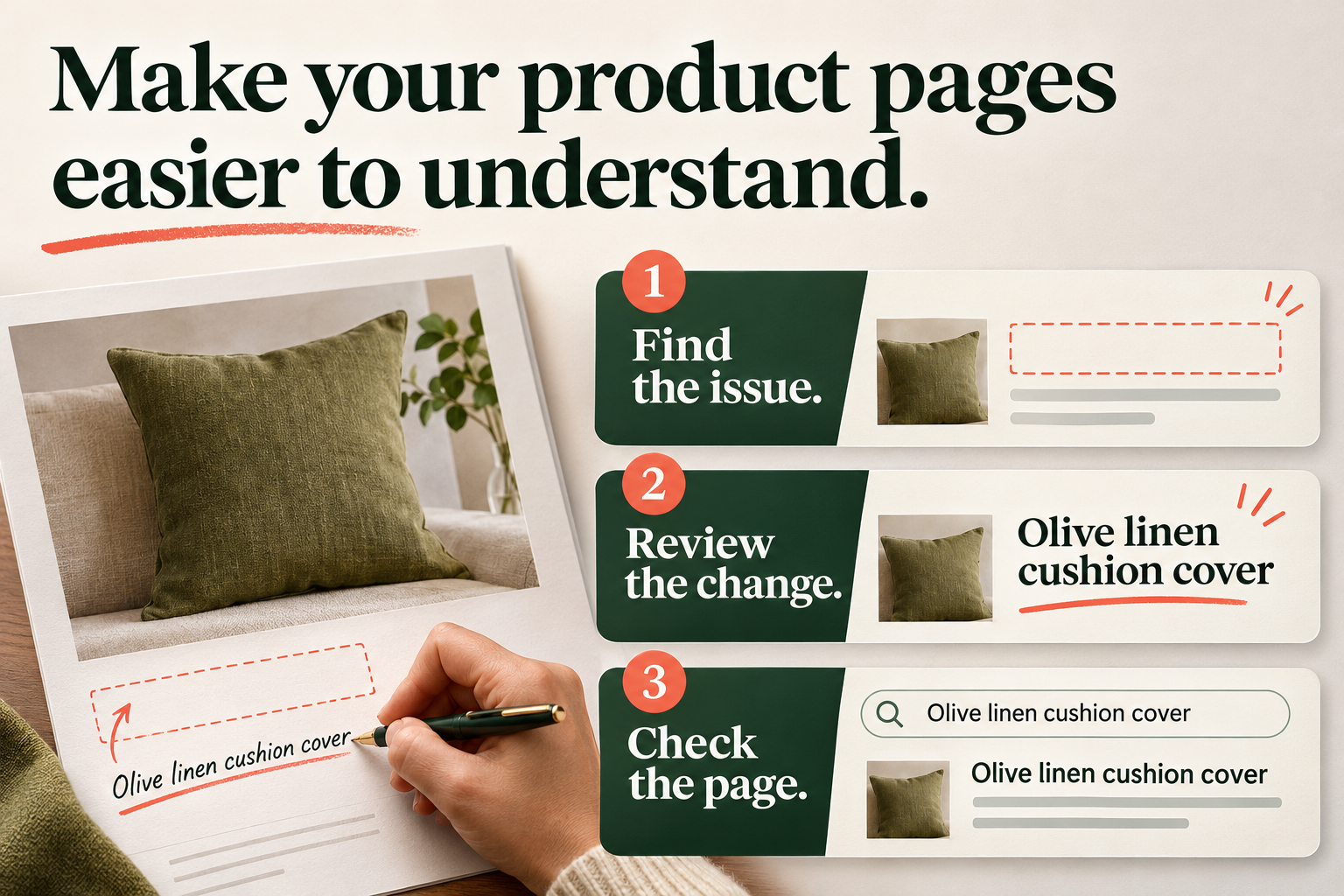
An unclear product-page title is identified, a descriptive change is reviewed and the resulting page is checked.
IllustrationAdvertising concept · Turn a finding into a reviewed improvement.

Audit your pages, review the evidence and choose a practical next step. Keep guided fixes, metadata, redirects and sitemap checks together in your shop administration.

A clearer decision

See the problem and the proposed change together.

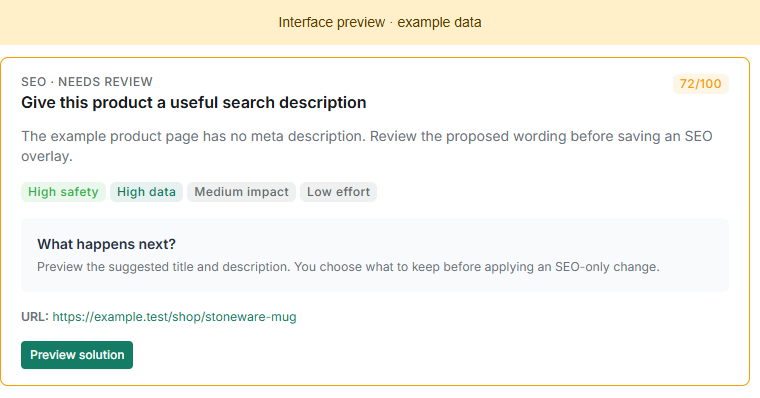
Find the page that needs attention and compare the current wording with a proposed improvement. A product missing a useful search description is a concrete task your team can review, rather than another unexplained audit score. For title and description findings, review search-facing wording separately from the product description customers read on the page. Check the suggested text against the product, then follow the available action or manual instructions. Optional AI suggestions still need your approval.

All SEO guided-action card explaining an example missing description and the next preview step.
Product screenshot · WooCommerceWooCommerce source component preview · example data. The issue and priority are illustrative; no live audit or SEO change was run.

From an audit finding to a checked change.

An illustrative metadata journey. The action offered depends on the specific finding and the supported page type.

  1. Scan the pages in scope

    Run the audit in batches and follow progress. Open the findings and identify the page that needs attention.

  2. Review the proposed solution

    Read the current title or search description alongside the proposed wording. Edit it where the workflow allows, or follow the manual steps shown.

  3. Check the result

    Apply the reviewed supported action and run the relevant follow-up check. An improved diagnostic score is evidence of that check, not a ranking guarantee.

Work on the different parts of a search-facing page.

Describe the page with useful, accurate wording.

Review the title and search description for the affected page address. These SEO fields can be changed separately from visible product copy, so your team can understand exactly what a proposed fix will affect.

  • Review current and proposed wording.
  • Keep product facts and customer language accurate.

Check which pages your sitemap includes.

Compare the pages intended for the sitemap with the sitemap that was generated and saved. Review preferred page addresses, redirects and pages without internal links before deciding what belongs in the list.

  • Review the primary sitemap target and output.
  • A sitemap exclusion is distinct from unpublishing a page.

Choose where a changed address should lead.

Manage supported redirect rules deliberately. Review the original URL, destination and intended behaviour alongside the page’s other SEO settings before enabling a rule.

  • Check the destination can serve the intended page.
  • Review overlapping rules in existing plugins or server configuration.

Keep the shop’s knowledge in the process

Use suggestions as a starting point for better decisions.

Your team knows which product details matter and what customers are likely to ask. Use that knowledge when reviewing generated wording or a guided fix. The available preview and manual instructions help make the scope visible before a change is applied. AI assistance is optional and requires a supported provider configuration. Keep the audit findings, proposed wording and final decision distinct: a suggestion may need editing, and no tool can promise a position in search results.

Start with a clear plan for your existing SEO tools.

Keep one deliberate owner for each job: page titles and descriptions, preferred URLs, redirects and sitemaps. Check the settings of any existing SEO plugin before enabling the same feature here.

  • Audit analysis requires an online connection to the All Programming analysis service.
  • Check existing SEO plugins, redirects and sitemap ownership before enabling overlapping features.
  • Optional AI services require their own configured account or API access and may have separate charges.

Botble

  • Requires a supported Botble installation; current manifest specifies Botble core 7.3.0 or later.

WooCommerce

  • Current source specifies WordPress 6.5+, PHP 8.1+ and WooCommerce 11.2+. Confirm the supplied release requirements.

Before you begin the first audit.

Does an improved audit score guarantee rankings or sales?

No. It is a diagnostic signal about the checks performed. Search positions, traffic and sales depend on factors beyond the plugin.

Will a metadata fix rewrite my visible product description?

Supported metadata overlays are separate from visible product copy. The action depends on the finding, so review its preview and scope before applying it.

Do I need an AI account?

AI suggestions are optional. Configure a supported provider if you want them; provider access or usage may have separate charges.

Does audit analysis need an online connection?

Yes. Analysis uses the All Programming online analysis service. Your installation must be able to reach it.

Can it run beside another SEO plugin?

Check which tool will own titles, descriptions, preferred URLs, redirects and sitemaps. Do not enable duplicate output without testing it. Tell us which SEO plugin you already use through the compatibility enquiry so the intended configuration can be checked.

Does removing a page from a sitemap delete it?

No. A sitemap inclusion decision is separate from whether the page is published. Review both settings according to what you intend customers and search engines to reach.


Before you choose

Check your existing SEO setup.

Tell us your platform and versions, any SEO plugin already installed, and the audit or editing job you want to improve. We can help check the feature overlap before you choose.

Ask about SEO compatibility